AddOns Maker for Minecraft
PAMG StudioPersonalization
3.75.54K Reviews
- Version
- 3.9.7
- Installs
- 10.00M
- Age Rating
- Teen
Screenshots
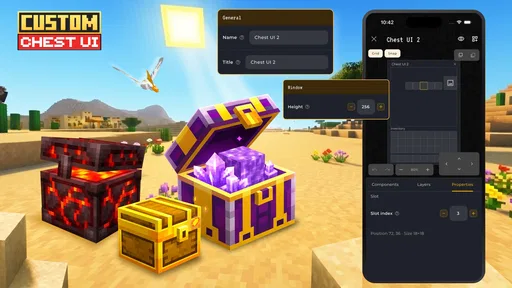
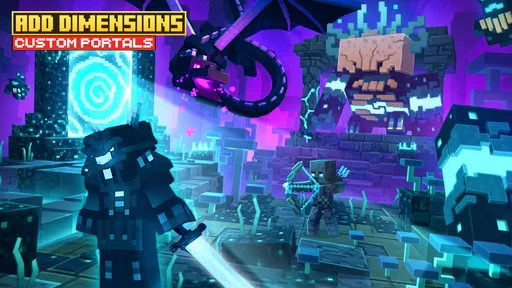
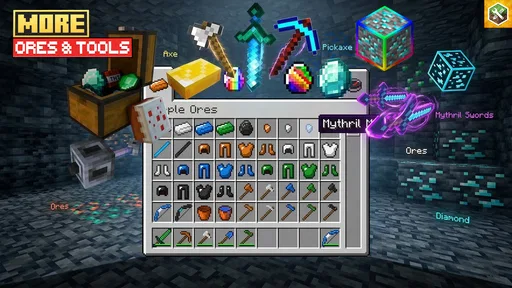
Our Review of AddOns Maker for Minecraft
 Analysis by Appyee
I approached AddOns Maker for Minecraft as a practical tool rather than another skin browser. Its purpose is to let Minecraft Bedrock players build and adjust their own content, including mods, addons, textures, furniture and skins, from a mobile device. That sounds ambitious, so the real question is not whether it offers many creative categories, but whether the workflow is comfortable enough for the kind of project you want to make.
My first impression is that this is best understood as a bridge between simple customization and full development. You do not need to begin by learning a desktop editor, yet you are also not limited to downloading someone else’s finished pack. The app gives you a way to experiment with ideas directly on a phone or tablet. For a casual player, that can mean changing the look of a world. For a more committed creator, it can become a place to prototype an idea before deciding whether it deserves a more advanced tool.
What I would consider before choosing it
The app sits in the personalization category and is developed by PAMG Studio. It is free to install, with optional purchases listed from $4.99 to $10.99 per item. That makes the initial decision fairly easy: you can try the basic experience without paying first, then decide whether the extra functionality is worth the cost for your own projects.
It is aimed at Minecraft players who use a compatible Bedrock-style mobile setup, and its content rating is Teen. The minimum operating-system requirement is Android 7.0, while the current version is 3.9.7. Those details matter because a creator tool can feel much less useful if it is being tested on an old device that struggles with editing screens, image work or larger projects.
I would judge this app using four questions. First, can I turn an idea into something usable without constantly leaving the editor? Second, does it help me make a coherent pack rather than isolated pieces? Third, can I test and revise my work without losing track of what changed? Finally, is the convenience of mobile creation more valuable to me than the deeper control offered by desktop tools?
That last question is the important one. A phone editor wins through accessibility and immediacy. A traditional computer workflow usually wins when the project becomes technical, highly detailed or dependent on precise file management. AddOns Maker is most attractive when you want to create during short sessions, learn by experimenting and see a result in Minecraft quickly.
Starting with a small project
I would not begin by attempting a complete overhaul of the game. A better first project is a narrow theme: a small group of matching textures, a custom furniture idea for one room, or a skin that follows a clear color palette. Keeping the scope small makes it easier to understand how the app organizes your work and whether its controls suit your hands.
One useful habit is to decide the visual purpose before opening the editor. If you want a medieval room, for example, choose the wood tone, metal accent and lighting mood first. If you are making a skin, decide whether the character should look practical, humorous or dramatic. Mobile editors can encourage random tweaking because every option is close at hand. A simple plan prevents the final result from feeling like a collection of unrelated edits.
I also recommend saving versions at natural milestones rather than changing everything in one sitting. Make the basic shape first, test it, then refine the appearance. This is more than an organizational trick: when something looks wrong in Minecraft, a staged workflow helps identify whether the problem came from the design itself or from a later adjustment.
Where the mobile workflow is genuinely strong
The strongest reason to use this app is that it shortens the distance between an idea and a playable experiment. If inspiration arrives while you are away from a computer, you can work on the concept immediately. That is especially useful for younger creators, casual builders and players who do not want to study a large desktop program before making their first addon.
The range of creative areas also gives the app more value than a tool focused only on skins. A skin changes the player’s appearance, but an addon or texture project can alter the mood of an entire world. Furniture sits somewhere in between: it can make a build feel more personal without requiring you to redesign every block. Being able to explore these directions in one place makes it easier to discover which type of creation suits you.
In my view, the most interesting use is as a prototyping space. You might have an idea for a themed survival base, a role-playing map or a decorative room. Instead of trying to produce the perfect final asset, you can create a rough version, load it into your world and decide whether the idea works during actual play. That feedback is more valuable than judging the design only inside an editor.
The real advantage is rapid iteration, not unlimited technical control. You can try a color change, a different visual style or a new decorative direction without committing to a long desktop session. If the experiment fails, the cost in time is usually lower than starting a complex project in a professional creation environment.
A realistic everyday scenario
Imagine that I am building a small Minecraft village after school or during a commute. I notice that the houses look too similar, but I do not want to rebuild them. I could use the app to develop a consistent furniture or texture idea, test it in one house and then decide whether it fits the wider village. If it works, I can continue the theme. If it does not, I have only changed a test area instead of disrupting the whole world.
Another practical scenario is preparing a shared creative session with friends. I might make a recognizable skin or a visual theme for our builds so the group feels connected. The app is helpful here because the goal is not technical perfection; it is making something personal enough to give the session its own identity.
For parents deciding whether it is suitable for a teenager, I would describe it as a creative utility rather than a conventional game. The Teen rating should still be taken seriously, and the presence of optional purchases means it is sensible to discuss spending before handing over the device. The free entry point makes experimentation possible, but “free” does not mean every part of the experience is necessarily included without payment.
Three habits that improve the results
First, treat each project as a theme system rather than a pile of individual assets. Pick a limited palette and repeat it across skins, textures or furniture. This creates a more convincing result and reduces the temptation to keep adding unrelated details.
Second, test in the actual Minecraft environment early. An asset that looks attractive in an editor may feel too bright, too dark or out of place beside the game’s normal blocks. A quick in-world check reveals problems that a preview cannot. I would test the item in daylight, indoors and alongside the blocks that will surround it most often.
Third, keep a clean separation between experiments and work you genuinely want to use. Create a rough version first, then make a polished version once the direction is proven. This protects the project from endless small changes and makes it easier to abandon an idea without feeling that you have ruined something important.
Where the app may frustrate experienced creators
The same simplicity that makes mobile creation approachable can become a limitation. Phone screens provide less room for detailed work than a computer monitor, and touch controls are not always ideal for precise adjustments. If you care about exact alignment, complicated structures or a large number of interconnected changes, you may eventually find yourself working more slowly than expected.
There is also a difference between making something that looks right and making something that behaves exactly as intended in Minecraft. Visual customization is relatively easy to understand. More advanced addon ambitions can involve logic, compatibility and careful testing. I would not choose this app on the assumption that a few taps will replace the learning required for serious Minecraft development.
Project management is another consideration. Mobile tools are convenient when a project is small and self-contained. As your collection grows, naming files, remembering which version is current and keeping test material separate becomes increasingly important. I would use a simple naming convention from the start, such as a project name followed by a stage like “test” or “final,” rather than relying on memory.
How it compares with the usual alternatives
The first alternative is a ready-made content browser. That option is better when I want an immediate visual change and have no interest in creating anything myself. Downloading a finished skin or addon is faster than designing one, and it avoids the learning curve. The trade-off is that I give up control over the result and may have to search for a long time before finding something that matches my exact idea.
The second alternative is a dedicated desktop editor. This is the stronger choice for creators who need precision, complex organization or a more technical workflow. A computer generally offers more screen space and better control for detailed work. The cost is time: setup, learning and file handling can make the first project feel heavier than it needs to be.
A third option is using general image-editing software for textures or skins. That can be attractive if I already know the program and want fine control over individual pixels. However, an image editor alone does not provide the same Minecraft-focused context. I may still need another tool to package, test or organize the result. AddOns Maker is more convenient when I want the creative process to stay close to the game rather than move between unrelated applications.
There is no universal winner among these categories. I would choose this app for guided experimentation and mobile convenience, a content browser for speed, and a desktop workflow for serious long-term production. The decision depends on whether my priority is making something now, finding something ready-made or developing a project with maximum control.
Who should use it, and who should skip it?
I think it is a good fit for Minecraft players who have ideas but feel intimidated by technical modding tools. It also suits builders who want their worlds to have a personal visual identity, teenagers who enjoy creative projects on a phone, and casual creators who prefer short sessions over a large computer-based setup.
I would be more cautious if you only want to play immediately and have no interest in editing. In that case, browsing finished content is likely to be less work. I would also look elsewhere if your main goal is advanced behavior, highly structured development or professional-level asset management. The app can be a starting point, but it should not be treated as a complete replacement for every specialized tool.
Players who share worlds with others should also think about compatibility before investing serious time. A creation that works beautifully in one setup may need testing before it becomes part of a shared world. I would always try a new project separately first, especially when several people depend on the same world remaining stable.
What the free model means in practice
Because the app is free, I see little reason not to try it if mobile Minecraft customization interests you. The sensible approach is to use the free experience to answer practical questions: do the controls feel natural, can you make the type of content you want, and does the export or testing routine fit your habits?
The optional purchases change the decision once you become invested. At that point, I would not pay simply because a project is unfinished. I would first confirm that the purchase solves a specific limitation in my workflow. If I am only making occasional skins, paying may not add enough value. If the app becomes my regular prototyping tool, the convenience may be easier to justify.
This is also where the cost of switching matters. Starting with AddOns Maker is relatively low-risk because the entry price is free. Moving later to a desktop editor may require learning new terminology, reorganizing files and rebuilding parts of a project. On the other hand, beginning with a mobile tool can teach useful design habits: planning a theme, testing early and separating rough experiments from finished work.
I would avoid building an enormous personal library before deciding whether the app is your long-term home. Make a few representative projects first. Try a skin, a visual change and a decorative idea. If all three feel comfortable, continue. If one category feels awkward, you will know early that another type of tool may suit that work better.
My recommendation after weighing the trade-offs
AddOns Maker for Minecraft earns my recommendation as an accessible creative starting point. It brings several kinds of Minecraft customization into a mobile workflow and makes experimentation feel less intimidating than opening a full desktop development environment. I especially like it for players who want to turn a passing idea into something they can test in their own world.
My recommendation is more qualified for advanced creators. If your projects depend on precise technical behavior, extensive organization or detailed production control, use this app as a sketchbook or prototype tool rather than assuming it will cover every stage. A more specialized desktop option may be the better final destination.
The app has reached over ten million installs, with an average rating of 3.7 from around one hundred fifty-four thousand ratings and roughly five thousand five hundred written reviews. Those figures suggest broad interest but also a mixed experience, which matches my own conclusion: its value depends heavily on expectations. It is not magic, and it is not a substitute for learning when a project becomes complex.
For me, the deciding benefit is the ability to create in the same place where I already play, without needing to turn every idea into a major technical project. Start with a small theme, test it in a separate world, keep your versions organized and spend only when a paid option clearly improves your workflow. If that sounds like the kind of creative process you want, this free personalization app is worth trying.
Verdict
Strengths of AddOns Maker for Minecraft
- Create custom Minecraft Bedrock add-ons without coding.
- Includes templates for items, blocks, mobs, and crafting recipes.
- In-app editor makes basic customization accessible to beginners.
- Preview features help test add-ons before exporting them.
- Supports sharing finished projects with other Minecraft players.
Limitations of AddOns Maker for Minecraft
- Some advanced features may require a premium purchase.
- Large projects can be slow to edit or export on older devices.
- Generated add-ons may need troubleshooting in Minecraft.
- The interface can feel crowded for first-time users.
- Compatibility may vary between Minecraft Bedrock versions.
Other Releases by PAMG Studio
View All
Mobs Maker for Minecraft PE
Libraries & Demo3.2
Similar Picks in This Category
View All
Microsoft SwiftKey AI Keyboard
SwiftKey4.3

Wallpapers
Google LLC4.1

Zedge™ Wallpapers & Ringtones
Zedge4.7

Yandex Browser with Alice AI
Direct Cursus Computer Systems Trading LLC4.3

Ringtone Maker:create ringtone
Big Bang Inc.4.7

Fonts Keyboard
Fonts Keyboard3.9
Frequently Asked Questions
What is AddOns Maker for Minecraft, and what can I create with it?
AddOns Maker for Minecraft is a mobile creation tool designed for players who want to customize Minecraft Bedrock Edition without building every file manually. It can help you create and edit add-ons, custom items, blocks, mobs, skins, recipes, textures, and other gameplay elements through a visual interface. The exact features may vary by app version, so checking the current description before downloading is recommended.
Is AddOns Maker compatible with Minecraft Java Edition or only Bedrock Edition?
The app is primarily intended for Minecraft Bedrock Edition, including compatible versions used on mobile devices and other supported platforms. It generally does not create standard Java Edition mods, which require different tools, loaders, and file formats. Before installing, confirm that your Minecraft version and device are supported, because compatibility can change after updates to either Minecraft or AddOns Maker.
Do I need Minecraft installed to use AddOns Maker?
You can usually explore some creation features without immediately opening Minecraft, but Minecraft Bedrock Edition is required to test and use the exported add-ons in the game. AddOns Maker is a companion editor rather than a replacement for Minecraft. You may also need permission to access device storage or files when importing resources, saving projects, or transferring an exported add-on.
Is AddOns Maker free to download, and are there in-app purchases or advertisements?
AddOns Maker may be available as a free download, but the free experience can include advertising, limitations on certain tools, or optional paid content depending on the version and platform. Some advanced templates, assets, or editing functions may require a purchase or subscription. Review the store listing and payment details carefully before downloading, especially if the app will be used by children.
Is AddOns Maker safe to use, and can it damage my Minecraft worlds?
The app is generally designed to export add-on files rather than directly alter your original Minecraft installation, but using custom content can still create compatibility problems or unexpected behavior. Back up important worlds before testing new add-ons, and remove conflicting packs if Minecraft crashes or displays errors. Download the application from an official app store and review requested permissions before granting access.
